Collection Route Missed-Pickup Board
Every reported missed pickup checked against the truck's stop record and photo, then sent on a go-back or answered with evidence.
These images are illustrations of the concept, not screenshots of the actual product.
Overview
In waste management and recycling, a missed pickup is one of the most common calls a hauler or city sanitation department receives, and many are not misses at all: the cart was not at the curb, a parked car blocked it, or the truck had already lifted it. This MoveTheWheels concept illustrates a Missed Pickups board for route supervisors and customer service that puts each resident's report beside what the collection truck recorded at that stop.
Without that record, every report tends to be handled the same way. A truck goes back for carts that were never put out, genuine misses wait while supervisors radio drivers to ask what happened, and residents call again because nobody has told them whether the truck is coming.
The desktop illustration shows the board under Routes for one day, marked as a holiday slide day. Tiles count reports today, go-backs planned, reports answered with a cart-not-out photo and reports past the next-day cutoff. An amber flag notes that one route ran on a spare truck and left the yard late. A Reported missed pickups table lists address, waste stream, route, how each report arrived (a GovCitizenHub request, a phone call or web chat), the truck record and the decision: no lift recorded goes on a go-back, cart not out or already lifted is answered with a photo, a cart blocked by a parked car goes back tomorrow, and an address not on the day's list goes to review. A Go-back panel maps one truck's added stops with the driver, the extra minutes and the capacity left, with Send to driver and Hold for tomorrow buttons, and a chip counts resident updates sent by FluidGrids. The mobile illustration shows the driver's go-back stop with outcome buttons, a stop photo, the earlier skip on the regular route and the resident's GovCitizenHub report.
The concept is designed to work with two other Burdenoff products. Reports from the city's GovCitizenHub portal are designed to pass through FluidGrids, which matches each one to a stop and carries the outcome back to the resident's request, so the resident sees collected, scheduled or not out without calling again. Within MoveTheWheels, stop outcomes are designed to come from the driver app, recorded as lifted, skipped, blocked, cart not out or contaminated with a timestamped photo, and genuine misses to be grouped into a go-back for the nearest truck with capacity.
What this concept shows
- Tiles for reports today, go-backs planned, cart-not-out photos and reports past the next-day cutoff
- Each report shown beside the truck's stop record: no lift, cart not out, blocked or lifted
- Reports from GovCitizenHub, phone and web chat in one table
- Genuine misses grouped into a go-back for the nearest truck with capacity
- A go-back map with added stops, extra drive time and capacity left
- Send to driver and Hold for tomorrow actions
- Resident updates carried back by FluidGrids
- A driver stop screen with outcome buttons, a stop photo and the earlier skip
How it works
- A resident reports a missed pickup through GovCitizenHub, a phone call or chat, and FluidGrids matches the report to a stop.
- The board shows the report beside the truck's record for that stop, with its photo.
- Reports where the cart was not out, or was already lifted, are answered with the photo.
- Genuine misses are grouped into a go-back for the nearest truck with capacity, and the supervisor sends it to the driver or holds it for tomorrow.
- At each go-back stop, the driver records lifted, cart not out, blocked or contaminated, with a photo.
- FluidGrids carries the outcome back to the resident's request.
Who it's for
- Route supervisors
- Customer service agents
- Collection truck drivers
- Sanitation operations managers
Illustrations
2 illustrations of this concept. Select one to view it full size.
Missed Pickups with Truck Records and a Go-Back
This illustration shows a light-themed Missed Pickups page with Routes selected in the sidebar, a date picker and a Holiday slide day chip. Tiles count reports today, go-backs planned, cart not out with a photo, and reports past the next-day cutoff in red. An amber flag notes a route that ran on a spare truck and left the yard late. A Reported missed pickups table lists address, stream (recycling, trash, yard waste or bulky item), route, how the report arrived, the truck record and the decision, from go-back and photo sent to go-back tomorrow and review. The first row, a recycling report from GovCitizenHub with no lift recorded, is highlighted. A Go-back panel for one truck shows a map with numbered stop pins along the route line, the driver, the added minutes and the capacity left, with Send to driver and Hold for tomorrow buttons. A chip counts resident updates sent by FluidGrids. All data is sample data.
Go-Back Stop in the Driver App
This illustration shows a go-back stop on a phone under the MoveTheWheels header, labeled as stop one of four for the truck. A card gives the address, the recycling stream and cart size, and a note that dispatch added the go-back that morning. Four outcome buttons offer Lifted, selected in green, Cart not out, Blocked, and Contaminated with a tag left. A Stop photo card holds a photo of a blue recycling cart at the curb and an Add photo tile. An Earlier today card records that the stop was skipped on the regular route because the route was run out of order. A line names the resident report from GovCitizenHub above an orange Mark lifted button and a link for when the stop cannot be reached. A tab bar offers Deliveries, Map, Scan and Profile, the same tabs as the driver app. All details are sample data.
Topics
- missed pickup management
- waste collection missed pickup
- go-back route planning
- garbage truck driver app
- cart not out photo
- sanitation route supervisor
- curbside collection exceptions
- recycling collection complaints
- missed trash pickup requests
- waste hauler dispatch
Related concepts
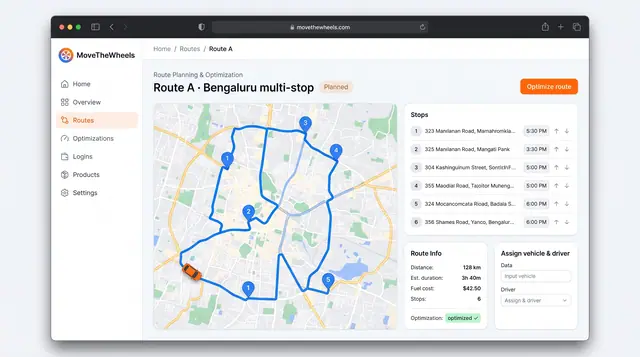
Route Optimization and Dispatch Proposals
Sequence multi-stop routes with distance, time and fuel cost in view, and review explained dispatch proposals before accepting them.
2 illustrations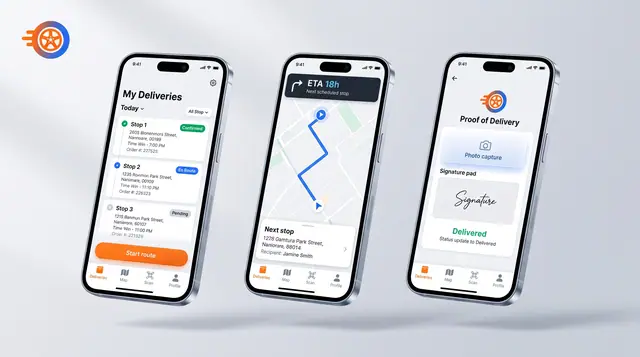
Driver Mobile App
Give drivers their day's stops, guidance to the next one and photo-and-signature proof of delivery on their phone.
1 illustration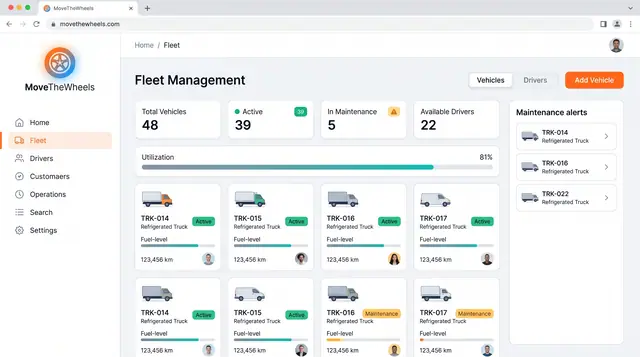
Fleet and Driver Management
See every vehicle and driver in one place: status, utilization, maintenance, documents and who is assigned to what.
3 illustrations
Part of an industry solution
This concept appears in a cross-product solution on burdenoff.com — see how it works alongside other Burdenoff products to solve a problem in that industry.