Hazardous Waste Manifest Return Tracker
Every manifest from the generator's dock to the receiving facility, with days open, quantity differences and late final copies chased.
These images are illustrations of the concept, not screenshots of the actual product.
Overview
In industrial and hazardous waste transport, every load travels under a manifest that follows it from the generator's dock to the receiving facility, and the generator expects a final copy back once the facility has received the waste. This MoveTheWheels concept illustrates a Manifests tracker for environmental compliance managers and dispatchers that keeps every open manifest in view until that final copy comes back.
Final copies go missing more often than anyone would like. A facility forgets to return one, the container count on receipt does not match what left the dock, or a paper copy sits in a tray, and the transporter hears about it only when the customer asks. Chasing copies from memory and an inbox makes it easy to miss the point at which the customer needs to follow up.
The illustration shows the tracker under Tracking for an industrial services business, with Open and Closed views and a date. Tiles count open manifests, final copies late, quantity differences and manifests awaiting facility receipt. An Open manifests table lists the manifest number, the generator with its waste description and container count, the ship date, the receiving facility, containers shipped against received, whether the final copy, paper or electronic, has come back, and days open. The manifest open longest is highlighted with its days open in red, and a lab pack received one container short carries a Difference badge. A timeline for the highlighted manifest records the pickup with the driver's copy signed, receipt at the facility with the weight ticket attached, two reminders sent by FluidGrids and a call to the facility due today, with Log call and Attach final copy buttons and a note that the customer's contact has been notified.
Each manifest is designed to be carried as a MoveTheWheels shipment, with the generator, transporter and truck, receiving facility, waste descriptions and container counts, and the driver's copy and the facility's weight ticket on the record. A FluidGrids workflow is designed to run each morning, email the facility when a copy is late, alert the compliance manager before the customer's follow-up window closes and log each chase on the manifest's timeline. The tracker keeps reminders and evidence; the generator's own obligations stay with the generator.
What this concept shows
- Tiles for open manifests, final copies late, quantity differences and manifests awaiting facility receipt
- An open manifests table with generator, waste description, facility and days open
- Containers shipped against received, with a Difference badge on a mismatch
- Final copy status for paper or electronic manifests
- A manifest timeline from pickup and facility receipt to each reminder
- Morning reminders to facilities with late copies, sent by FluidGrids
- Log call and Attach final copy actions
How it works
- Each manifest is recorded as a shipment with the generator, truck, receiving facility, waste descriptions and container counts.
- At pickup the driver's signed copy is attached, and on receipt the facility's weight ticket joins the record.
- The tracker counts days open and compares containers shipped with containers received.
- Each morning, a FluidGrids workflow emails facilities whose copies are late and logs the chase on the manifest's timeline.
- The compliance manager is alerted before the customer's follow-up window closes and logs a call to the facility.
- When the final copy arrives, it is attached to the manifest's record.
Who it's for
- Environmental compliance managers
- Waste transport dispatchers
- Customer service coordinators
- Operations managers
Illustrations
1 illustration of this concept. Select one to view it full size.
Open Manifests and a Manifest Timeline
This illustration shows a dark-themed Manifests page for an industrial services business, with Tracking selected in the sidebar, Open and Closed views and a date. Tiles count open manifests, final copies late, quantity differences and manifests awaiting facility receipt. An Open manifests table lists manifest number, generator with waste description and container count, shipped date, receiving facility, containers shipped and received, final copy status and days open. Waste descriptions include spent plating solution, a lab pack, waste paint thinner, solvent rags and corrosive liquid in totes. The first row, not returned and open longest, is highlighted with its days open in red, and a lab pack received one container short carries a Difference badge. A timeline for that manifest shows pickup with the driver copy signed, receipt at the facility with a weight ticket, two reminders sent by FluidGrids and a call to the facility due today, above Log call and Attach final copy buttons and a customer-notified note. All data is sample data.
Topics
- hazardous waste manifest tracking
- manifest final copy follow-up
- waste manifest return
- hazardous waste transporter software
- manifest discrepancy tracking
- industrial waste transport
- electronic manifest tracking
- receiving facility follow-up
- open manifest report
Related concepts
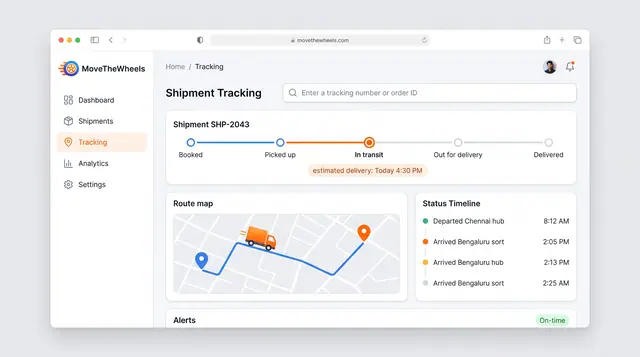
Shipment Tracking and Live Map
Follow one shipment from booking to delivery with an estimated arrival, then zoom out to every vehicle moving across the network.
2 illustrations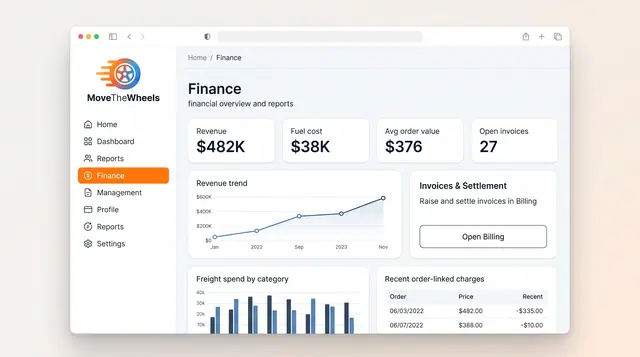
Finance and Freight Document Reconciliation
See revenue, fuel cost and freight spend at a glance, then check carrier invoices against shipments, agreed rates and delivery proof.
2 illustrations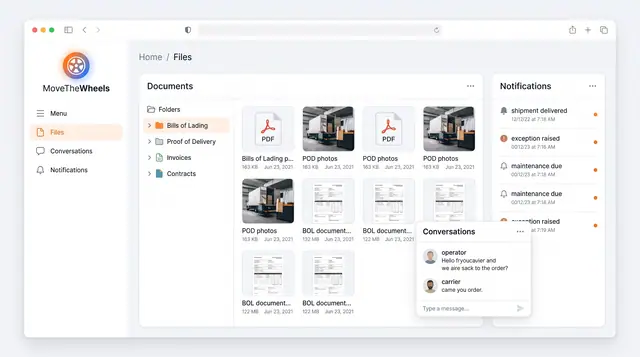
Documents, Notifications and Conversations
Keep bills of lading, proof of delivery and invoices in one library, with shipment alerts and operator-carrier chat alongside.
1 illustration
Part of an industry solution
This concept appears in a cross-product solution on burdenoff.com — see how it works alongside other Burdenoff products to solve a problem in that industry.