Construction Site Delivery Scheduler
Book deliveries into gate and crane slots, see inbound loads against laydown space, and capture the ticket at the gate.
These images are illustrations of the concept, not screenshots of the actual product.
Overview
In construction and engineering, a site has a few gates, one or two cranes and only so much laydown space, and every material delivery competes for them. This MoveTheWheels concept illustrates a Site Deliveries scheduler for site logistics teams that books each purchase-order delivery into a gate slot and, where a lift is needed, a crane window, while keeping the laydown space for setting loads down in view.
When a rebar truck turns up early while the crane is lifting curtain-wall panels, the driver waits, the gate backs up and the planned work slips. Site teams often find these clashes at the gate, and the delivery ticket that proves what arrived ends up in a site office tray rather than against the activity it was needed for.
The illustration shows one site's deliveries for a chosen day, with a Book delivery button. A timeline has lanes for two gates and a tower crane, each holding booked slots labeled with the material and the building level it is for. An early arrival shows as a conflict tagged crane busy, next to a dashed re-slot proposal later in the morning. Below, a Delivery tickets table lists ticket, material, quantity, time at gate, proof and status: received loads carry photo and signature proof, while the early load has its proof pending and is waiting at the gate, with a button to re-slot it. A Laydown card shows how full each zone is.
The design links the schedule to three other Burdenoff products. The crane lane references the tower crane record in AssetHandler, so crane windows are designed to follow the asset that provides them. A Lookahead link card ties a delivery to its PlanMagnet lookahead activity, here placing rebar on a deck, with a note that the activity clears on proof of delivery, so the photo and signature captured at the gate are designed to lift that activity's material constraint. An Exceptions card across all sites flags a load running late, and supplier dispatch updates are designed to arrive through a FluidGrids connector that refreshes each ETA and routes late loads to the superintendent. Within MoveTheWheels, the scheduler sits under Orders, alongside tracking, exceptions and the driver app's proof of delivery.
What this concept shows
- A day timeline with lanes for each site gate and a tower crane, holding delivery slots by material and building level
- Early-arrival conflicts tagged when the crane is busy, with a dashed re-slot proposal
- A delivery tickets table with material, quantity, time at gate, proof and status
- Photo and signature proof on received loads, and a re-slot action for a load waiting at the gate
- A Laydown card showing how full each zone is
- A crane lane that references the tower crane record in AssetHandler
- A PlanMagnet lookahead link that clears the activity on proof of delivery
- A cross-site exceptions card for late loads, with supplier updates through FluidGrids
How it works
- Book each purchase-order delivery into a gate slot, and into a crane window where a lift is needed.
- Check how full each laydown zone is before inbound loads arrive.
- Follow supplier dispatch updates arriving through FluidGrids, and review late loads in the exceptions card.
- When a load arrives early and the crane is busy, re-slot it to the proposed time.
- At the gate, capture the ticket photo and the driver's signature to mark the load received.
- Let the proof of delivery clear the material constraint on the linked PlanMagnet lookahead activity.
Who it's for
- Site logistics managers
- Construction superintendents
- Project engineers and planners
- Site gate receivers
- Materials suppliers and haulers
Illustrations
1 illustration of this concept. Select one to view it full size.
Site Deliveries Timeline with Gates and Crane
This illustration shows a Site Deliveries page for one construction site under Orders, with a date picker and a Book delivery button. A day timeline has lanes for two gates and a tower crane labeled with its AssetHandler record. Gate slots name the material and building level, and an amber rebar slot marked as arrived early carries a red crane busy tag beside a dashed re-slot proposal. The crane lane holds a window for curtain-wall panels. A Delivery tickets table lists ticket, material, quantity, time at gate, proof and status: three loads received with photo and signature, and a highlighted rebar load with proof pending, waiting at the gate with a re-slot button. On the right, a Laydown card shows two zones with fill bars, a Lookahead link card ties the rebar to a PlanMagnet activity that clears on proof of delivery, and an Exceptions card for all sites flags a late precast load with a supplier update via FluidGrids. All data is sample data.
Topics
- construction delivery scheduling
- site logistics software
- construction gate booking
- crane scheduling
- laydown area management
- delivery ticket capture
- just-in-time construction deliveries
- lookahead schedule material constraints
- construction proof of delivery
- site delivery management
Related concepts
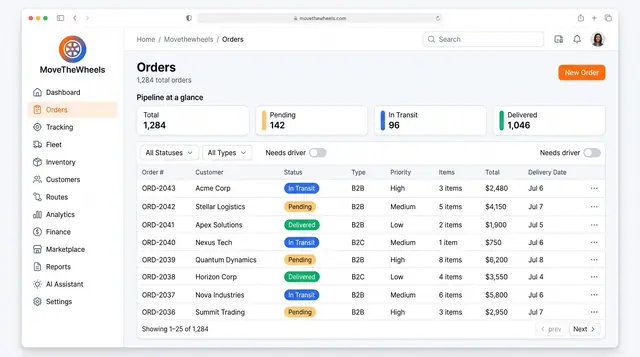
Order Lifecycle Management
Book a delivery, watch it move through the pipeline, assign a driver and vehicle, and keep its documents with the order.
3 illustrations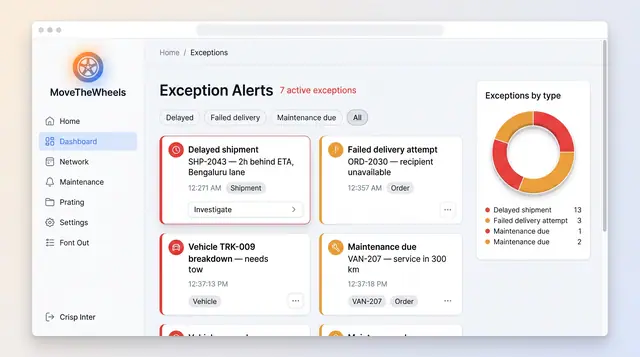
Exceptions and At-Risk Shipments
See delays, failed deliveries and maintenance issues in one board, plus a ranked queue of loads predicted to miss their window.
2 illustrations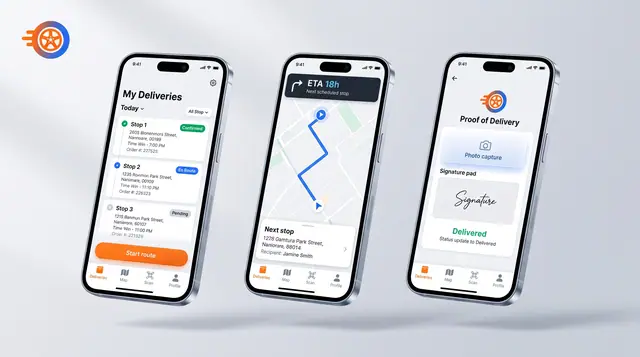
Driver Mobile App
Give drivers their day's stops, guidance to the next one and photo-and-signature proof of delivery on their phone.
1 illustration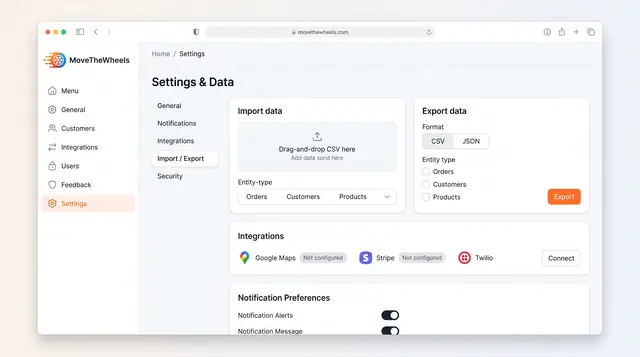
Data Import, Export and Integrations
Bring orders, customers and products in from CSV, export them as CSV or JSON, and connect maps, payments and messaging services.
1 illustration
Part of an industry solution
This concept appears in a cross-product solution on burdenoff.com — see how it works alongside other Burdenoff products to solve a problem in that industry.