Produce Arrival Rejections and Claims
When a buyer's dock rejects part of a perishable load, put grade, temperature, dwell and delivery proof into one claim decision.
These images are illustrations of the concept, not screenshots of the actual product.
Overview
In agriculture and agri-food, fresh produce is judged twice: once at the packhouse, where it is graded and loaded, and again at the buyer's dock, where quality control accepts it, downgrades it or rejects part of it. This MoveTheWheels concept illustrates an Arrival Rejections and Claims desk under Finance, where the logistics lead of a grower cooperative can settle those disagreements with evidence instead of phone calls.
When a buyer's QC note reports soft fruit, the shipper has to show whether the load left in good condition and what happened to it on the way. That evidence is usually scattered: the dispatch grade sits with the packhouse, the temperature trace sits in a load logger, and the arrival times and delivery photos sit with the trip. Without it, a deduction tends to be accepted in full and the loss is spread across every member of the co-op.
The illustration opens with a banner counting the week's loads with an arrival outcome and a Loads column of cards, each showing the crop, the weight and an outcome of accepted, downgraded, partial reject or full reject. Selecting a partial reject opens its claim file as a numbered list: the dispatch grade and pulp temperature at loading, the buyer's QC note with the share of crates affected, the gate-in and dock times with the dwell between them, flagged where it ran over the agreed limit, and the deduction claimed. A temperature chart below marks the gate-in moment and shades the dock wait, showing when the load began to warm. A Decision panel offers Accept, Dispute and Split with a notes field, and a Proof of delivery strip holds a signature, crate photos and a geo-stamp.
The design draws the claim file from three products. The dispatch grade is designed to come from the Healthy Bowl harvest lot, shown with its lot badge; the temperature trace is designed to come from the co-op's load logger as monitored in AssetHandler; and the gate times and delivery proof come from the MoveTheWheels trip itself. Once the logistics lead accepts, disputes or splits the deduction, a Settlement adjustment link is designed to hand the agreed figure back to Healthy Bowl member settlement, so that only the members whose produce was rejected carry it. Within MoveTheWheels, the desk sits alongside freight document reconciliation, shipment tracking and the driver app's proof of delivery.
What this concept shows
- A weekly banner counting loads with an arrival outcome, and load cards marked accepted, downgraded, partial reject or full reject
- A numbered claim file with dispatch grade, pulp temperature at loading, the buyer's QC note and the deduction claimed
- Gate-in and dock times with the dwell between them, flagged when it exceeds the agreed limit
- A load logger temperature chart that marks gate-in and shades the dock wait
- A Healthy Bowl lot badge on the dispatch grade and an AssetHandler label on the temperature trace
- Accept, Dispute and Split decisions with a notes field for the reasoning
- A settlement adjustment link to Healthy Bowl co-op members
- Proof of delivery with a signature, crate photos and a geo-stamp with location accuracy
How it works
- Open Arrival Rejections and Claims under Finance to see the week's loads with an arrival outcome.
- Select a partially or fully rejected load to open its claim file.
- Compare the dispatch grade and pulp temperature from the Healthy Bowl lot with the buyer's QC note.
- Check gate-in, dock time and dwell, and read the AssetHandler temperature trace against the dock wait.
- Review the signature, crate photos and geo-stamp in the proof of delivery.
- Accept, dispute or split the deduction and record the reasoning in the notes.
- Follow the settlement adjustment, which is designed to pass the agreed figure only to the affected co-op members in Healthy Bowl.
Who it's for
- Grower cooperative logistics leads
- Packhouse and quality managers
- Fresh produce shippers and exporters
- Co-op finance and member settlement teams
Illustrations
1 illustration of this concept. Select one to view it full size.
Claim File for a Partially Rejected Load
This illustration shows the Arrival Rejections and Claims page, reached through a MoveTheWheels, Finance breadcrumb, in a dark theme. A banner counts the week's loads with arrival outcomes. The Loads column lists produce loads such as tomatoes, pomegranates and chilies with their weight and an outcome chip: accepted, downgraded, partial reject or full reject. The selected partial reject opens a claim file with four numbered lines: the dispatch grade and pulp temperature beside a Healthy Bowl lot badge, the buyer's QC note on soft fruit, gate-in and dock times with a dwell flagged as over the agreed limit, and the crates claimed. A load logger temperature chart labeled AssetHandler marks gate-in and shades the dock wait as the line rises. A Decision panel holds Accept, Dispute and Split, a note proposing an even split and a settlement adjustment link to co-op members. A proof of delivery strip shows a signature, crate photos and a geo-stamp. All data is sample data.
Topics
- produce rejection claims
- fresh produce quality claims
- perishable load rejection
- arrival quality dispute
- cold chain temperature evidence
- dock dwell evidence
- proof of delivery for produce
- grower co-op settlement deductions
- buyer QC rejection
- agri logistics claims management
Related concepts
Finance and Freight Document Reconciliation
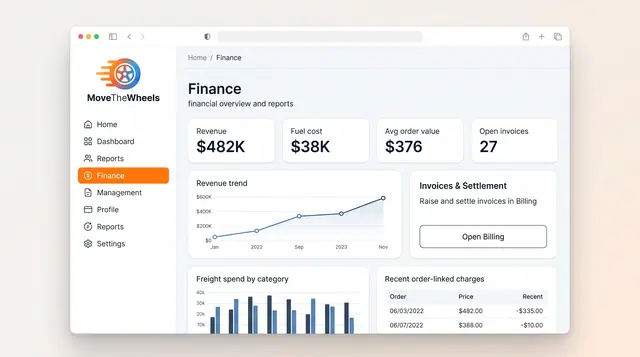
See revenue, fuel cost and freight spend at a glance, then check carrier invoices against shipments, agreed rates and delivery proof.
2 illustrations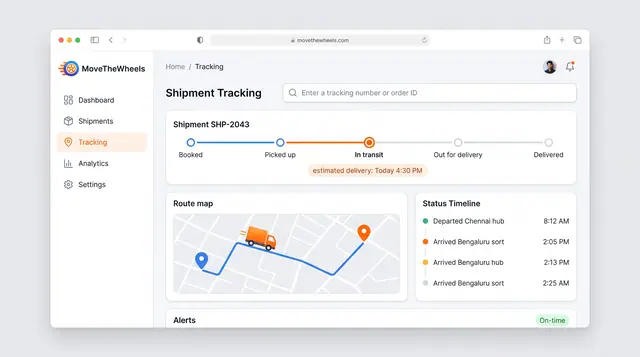
Shipment Tracking and Live Map
Follow one shipment from booking to delivery with an estimated arrival, then zoom out to every vehicle moving across the network.
2 illustrations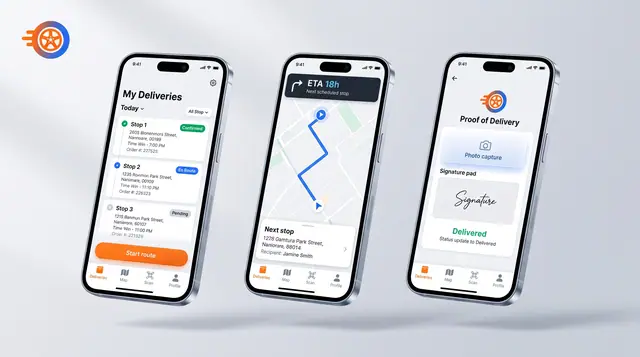
Driver Mobile App
Give drivers their day's stops, guidance to the next one and photo-and-signature proof of delivery on their phone.
1 illustration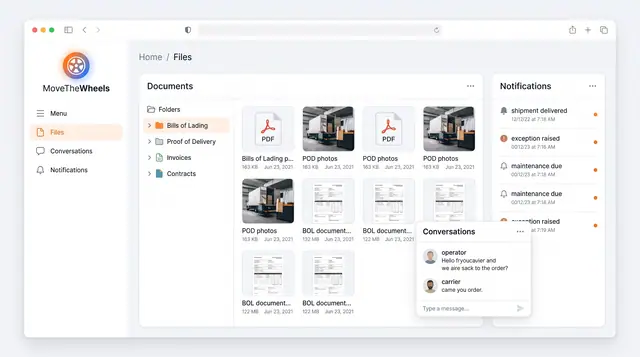
Documents, Notifications and Conversations
Keep bills of lading, proof of delivery and invoices in one library, with shipment alerts and operator-carrier chat alongside.
1 illustration
Part of an industry solution
This concept appears in a cross-product solution on burdenoff.com — see how it works alongside other Burdenoff products to solve a problem in that industry.