
How do I book a delivery and get it onto the right driver and truck without a round of phone calls?
MoveTheWheels eliminates manual phone tag by connecting order booking, fleet availability, route planning, and dispatch onto a single operational spine.
About this answer — Produced by our own assistant on 23 September 2026 from our published documentation. The pages it drew on are linked under the answer. It is generated text, not a statement from a person — where it and a linked page disagree, the page is right.
Answer
MoveTheWheels[1] eliminates manual phone tag by connecting order booking, fleet availability, route planning, and dispatch onto a single operational spine.
Here is how you book and assign a delivery end-to-end:
- Book and convert orders instantly: Orders created or received hand off directly to dispatch as shipments—no re-keying customer information, freight specs, or drop locations.
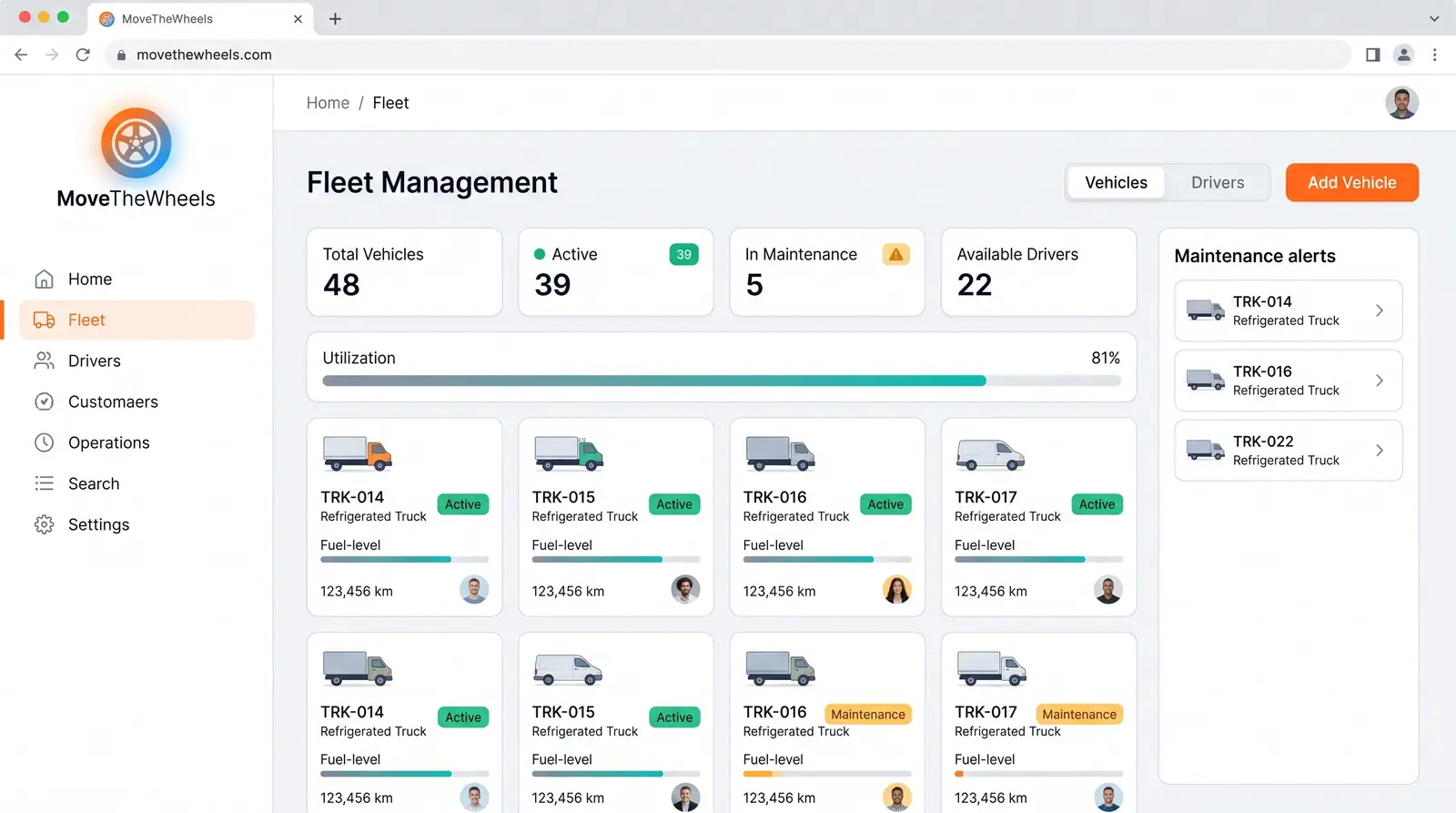
- View real-time fleet and driver availability: Through Fleet and Driver Management[2] and the live dispatch board[3], dispatchers can check active vehicles, load capacities, fuel levels, maintenance alerts, and driver duty rosters in one place.
 (opens in a new tab)
Illustration of the concept, not a screenshot of the actual product — Fleet and Driver Management[2]
(opens in a new tab)
Illustration of the concept, not a screenshot of the actual product — Fleet and Driver Management[2]
- Sequence and optimize routes: Run multi-stop route optimization[4] to sequence stops around time windows and vehicle weight limits. You can assign the load manually from the board or let the AI assistant propose dispatch plans[5] with attached reasoning for you to approve in one click.
- Push assignments directly to drivers: Once assigned, route details, navigation, and stop instructions are sent straight to the driver. Upon delivery, the driver collects electronic proof of delivery (ePOD)[6] with signatures, geo-coordinates, and photos, automatically updating the central tracking board in real time.
To see how you can manage assignments and routes from a single screen, explore the MoveTheWheels dispatch board[3].
Sources
The pages this answer was drawn from.
- Logistics & Supply Chain Platform 2026 | MoveTheWheelsmovethewheels.com(opens in a new tab)
- Fleet and Driver Management — Concept | MoveTheWheelsmovethewheels.com(opens in a new tab)
- Dispatch drivers and assign loads from one board — Use Cases | MoveTheWheelsmovethewheels.com(opens in a new tab)
- Build multi-stop routes that cut miles and fuel — Use Cases | MoveTheWheelsmovethewheels.com(opens in a new tab)
- Ask the assistant from any screen, and let it act under your permissions — Use Cases | MoveTheWheelsmovethewheels.com(opens in a new tab)
- Track freight from pickup to proof of delivery — Use Cases | MoveTheWheelsmovethewheels.com(opens in a new tab)