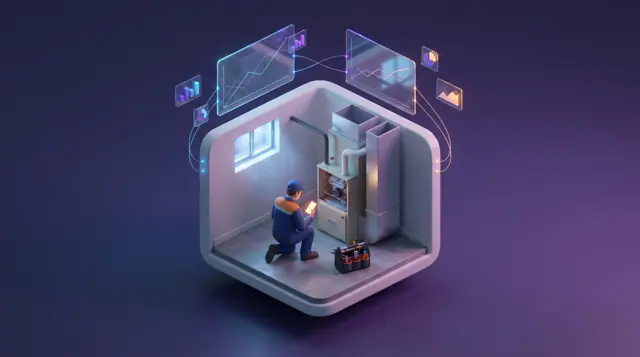
Technician Dispatch Board and Arrival Windows
Each technician's day as a lane of jobs in their arrival windows, with clearance and van stock checked before a job is placed.
These images are illustrations of the concept, not screenshots of the actual product.
Overview
In field service and the trades, a customer is promised an arrival window, and the dispatcher has to keep that promise while emergencies land in the middle of the day. This MoveTheWheels concept illustrates a Dispatch Board for HVAC, plumbing and electrical service companies, where each technician and van is a lane across the day and each job sits in the window the customer was given.
Placing a job well takes more than finding the nearest free technician. The dispatcher needs to know whether the technician is cleared for that kind of work, whether the van carries the part the job will probably need, and whether the van is on the road at all. When a gas license lapses or a van fails a check, a common response is to pull the technician's whole day, even though most of their jobs could still go ahead.
The desktop illustration shows the board under Routes for a chosen day, with a Place job button and tiles for open emergencies, windows at risk, technicians on shift and vans off road. Lanes carry each technician's name, trade and van, with jobs as colored blocks labeled with their window and job type, including a commercial rooftop job showing its not-to-exceed amount. An Unassigned panel puts an emergency no-heat call above routine jobs. A placement panel for that call lists technicians by drive time: one cleared with an igniter on the van, one without the part and one not eligible for gas jobs, with Assign and notify customer and Offer new window buttons. The mobile illustration gives the technician a Next job screen with the address, arrival window, customer and membership badge, the equipment and its service history, the parts on the van with a missing one located at a shop, a note that the customer was told the technician is on the way, and a Start drive button.
Other Burdenoff products are designed to feed the board. The emergency is designed to arrive from Botlit, routed by FluidGrids, and routine jobs booked in Kadaikodi are designed to arrive with the window the customer booked. A lapsed license recorded in CrewFoundry is designed to hold only the gas jobs on that technician's lane, so a thermostat job later the same day stays in place, and a van marked off road in AssetHandler shows on the lane with the time it is due back. On the phone, the equipment history link is designed to open the unit's record in AssetHandler. Within MoveTheWheels, the board sits under Routes with each lane tied to a van, and the phone uses the same tabs as the driver app.
What this concept shows
- Tiles for open emergencies, windows at risk, technicians on shift and vans off road
- Technician lanes by trade and van, with jobs placed in their customer arrival windows
- A not-to-exceed amount shown on a commercial job
- An unassigned queue with an emergency from Botlit via FluidGrids above jobs booked in Kadaikodi
- A placement panel listing technicians by drive time, with part-on-van and clearance checks
- A CrewFoundry license hold on gas jobs only, and an AssetHandler off-road notice on the van
- Assign and notify customer and Offer new window actions
- A technician next-job screen with equipment history, van parts and an on-the-way notice
How it works
- An emergency arrives from Botlit through FluidGrids, and routine jobs booked in Kadaikodi join the unassigned queue.
- The dispatcher checks the tiles and lanes for windows at risk and vans off road.
- Selecting the emergency opens the placement panel, which lists technicians by drive time with part and clearance checks.
- A technician whose CrewFoundry license has lapsed is marked not eligible for gas jobs, while their other work stays on the board.
- The dispatcher assigns the job and notifies the customer, or offers a new window.
- The technician opens the next job on their phone, reviews the equipment history and van parts, and starts the drive.
Who it's for
- Service dispatchers
- HVAC, plumbing and electrical technicians
- Service managers
- Field service operations leads
- Customer service coordinators
Illustrations
2 illustrations of this concept. Select one to view it full size.
Dispatch Board with Technician Lanes and Placement
This illustration shows a light-themed Dispatch Board page with Routes selected in the sidebar, a date picker and a Place job button. Tiles count open emergencies, windows at risk, technicians on shift and vans off road. A timeline has one lane per technician, labeled with trade and van, with jobs in their windows: a no-heat call, a member tune-up, a water heater leak and a commercial rooftop job with its not-to-exceed amount. One HVAC lane shows a CrewFoundry hold on gas jobs for a lapsed license, a hatched held furnace job, an AssetHandler off-road notice and a later thermostat job still in place. An Unassigned panel lists an emergency from Botlit routed by FluidGrids and three jobs booked via Kadaikodi. A placement panel for the emergency selects a cleared technician with the igniter on the van, over one without the part and one not eligible for gas jobs, above Assign and notify customer and Offer new window buttons. All data is sample data.
Technician's Next Job on the Phone
This illustration shows a Next job screen on a phone under the MoveTheWheels header. The job is a no-heat call marked Emergency. A card gives the address, a two-hour morning arrival window, the customer's name and a membership plan badge. An Equipment card names a gas furnace with its install year, a History in AssetHandler link and two past service entries: a blower capacitor replacement and a fall safety check. A Parts on van card lists a hot surface igniter and a flame sensor with green checks, and a pressure switch with none on the van and an amber note naming the nearest shop that has one. At the bottom, a line records when the customer was told the technician is on the way, above an orange Start drive button and a link for when the window cannot be made. A tab bar offers Deliveries, Map, Scan and Profile, the same tabs as the driver app. All details are sample data.
Topics
- field service dispatch board
- technician scheduling software
- arrival window scheduling
- HVAC dispatch software
- emergency service call dispatch
- technician license tracking
- van stock check before dispatch
- plumbing and electrical dispatch
- technician mobile job app
- service trades scheduling
Related concepts
Route Optimization and Dispatch Proposals
Sequence multi-stop routes with distance, time and fuel cost in view, and review explained dispatch proposals before accepting them.
2 illustrations
Fleet and Driver Management
See every vehicle and driver in one place: status, utilization, maintenance, documents and who is assigned to what.
3 illustrations
Driver Mobile App
Give drivers their day's stops, guidance to the next one and photo-and-signature proof of delivery on their phone.
1 illustration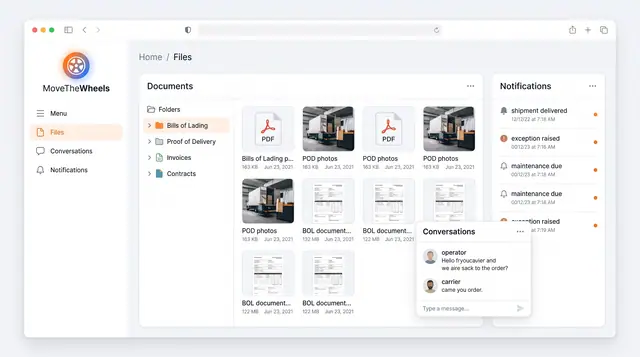
Documents, Notifications and Conversations
Keep bills of lading, proof of delivery and invoices in one library, with shipment alerts and operator-carrier chat alongside.
1 illustration
Part of an industry solution
This concept appears in a cross-product solution on burdenoff.com — see how it works alongside other Burdenoff products to solve a problem in that industry.